Start with design practice
How form serves use, how parts make a whole and how materials respond to context: IDENIFE brings these industrial design judgements into HuanYu’s development.

Explore enterprise products and AI capabilities built for industry.
Let’s talk about your businessProducts, integrations and partnershipsBring AI into the enterprise.
Automated data-warehouse builder
Automated high-quality datasets
AI appliance for business decisions
Opens in a new tabDedicated offline AI bidding appliance
Connect AI to products and operations.
Explore the interfaces and integration paths for our AI capabilities.
Models, foundational frameworks and the engineering behind AI systems.
Explore collaboration across products, technology and delivery.
Frameworks, tools and examples for developers to understand and reuse.
Updates, technical thinking and industry observations from IDENIFE.
Our focus on education, talent and sharing knowledge.
Design intelligence. A new expression of imagination.
Grounded in industrial design data. Turn conversations, product semantics and visual conditions into concepts—through an API inside your platform.
Explore the technologyAutomatic animation: large mosaic tiles progressively subdivide to reveal the silhouette, surfaces, materials and lighting of a sharp car concept. This visualises generation using a concept asset; it is not a live API response.
“Design an electric GT.”
Low stance. Liquid silver. A slender light signature.Born from industrial design.
Behind a rendering are decisions about use, form, materials and manufacturing. IDENIFE’s path from industrial design to model development makes those decisions the starting point for HuanYu.
How form serves use, how parts make a whole and how materials respond to context: IDENIFE brings these industrial design judgements into HuanYu’s development.
Connect briefs, renderings, part descriptions and revision feedback. The learning task includes the design problem an image responds to, alongside the image itself.
Connect through an API to design tools, enterprise platforms and industry software, keeping briefs, concepts, reviews and revisions in a shared business context.
Industrial data & semantics
HuanYu is trained on industrial design data. Relationships among briefs, form, parts and materials retain the professional context of each visual sample, beyond a style label.
A low-slung GT. Long wheelbase, a compact cabin, silver metallic bodywork and slim lighting.
Stance · proportion
Lighting · layout
Colour · material · finish
Briefs, use contexts, concept images
Connect the reason for a design decision with its visual expression.
Silhouettes, proportions, zones, part relationships
Relate the overall form and its local features to a coherent product.
CMF descriptions, seams, surfaces, connections
Distinguish material appearance from structural intent, rather than learning style alone.
Source concept, edit instruction, preserved regions, review
Extend single-image generation into revisions that retain the design direction.
Evaluate across product families and projects.
Verify rights and provenance, deduplicate and retain version relationships. Similar views of one product are not independent evidence of generalisation.The generation architecture
From intent and multimodal conditions to joint latent modelling and image decoding: professional generation connects data, the model backbone, control mechanisms and evaluation.
Text embeddings
Visual & spatial context
Language defines intent. Visual conditions guide its arrangement.
Image and text representations interact, with spatial conditions guiding each step.
Repeatedly predict velocity with the backbone; a solver advances the latents towards the concept.
Decode latents into pixels for design review and the next revision.
Design conditions stay in the loop.
Illustrative technical pathwayAttention exchanges information between text representations and image latents. Category, form, material and spatial relationships jointly condition a concept, rather than acting as isolated words.
Flow Matching trains a velocity field. During inference, the transformer predicts velocity from the current latents, timestep and design conditions. A numerical solver advances the latents, before a decoder produces the image.
References, contours, depth and region masks provide different constraints. Condition strength and creative freedom are balanced around established proportions, layout and identity.
During training, intermediate generative features can be aligned with pretrained visual representations to improve semantic learning. This training mechanism is distinct from inference-time conditioning.
These diagrams explain the development approach. Public research is linked below; model configuration and supported controls are defined for each integration.
Generation is the beginning
Industrial design needs deliberate variation. Organise conditions around form, CMF and local revisions so every generation addresses a more specific design question.
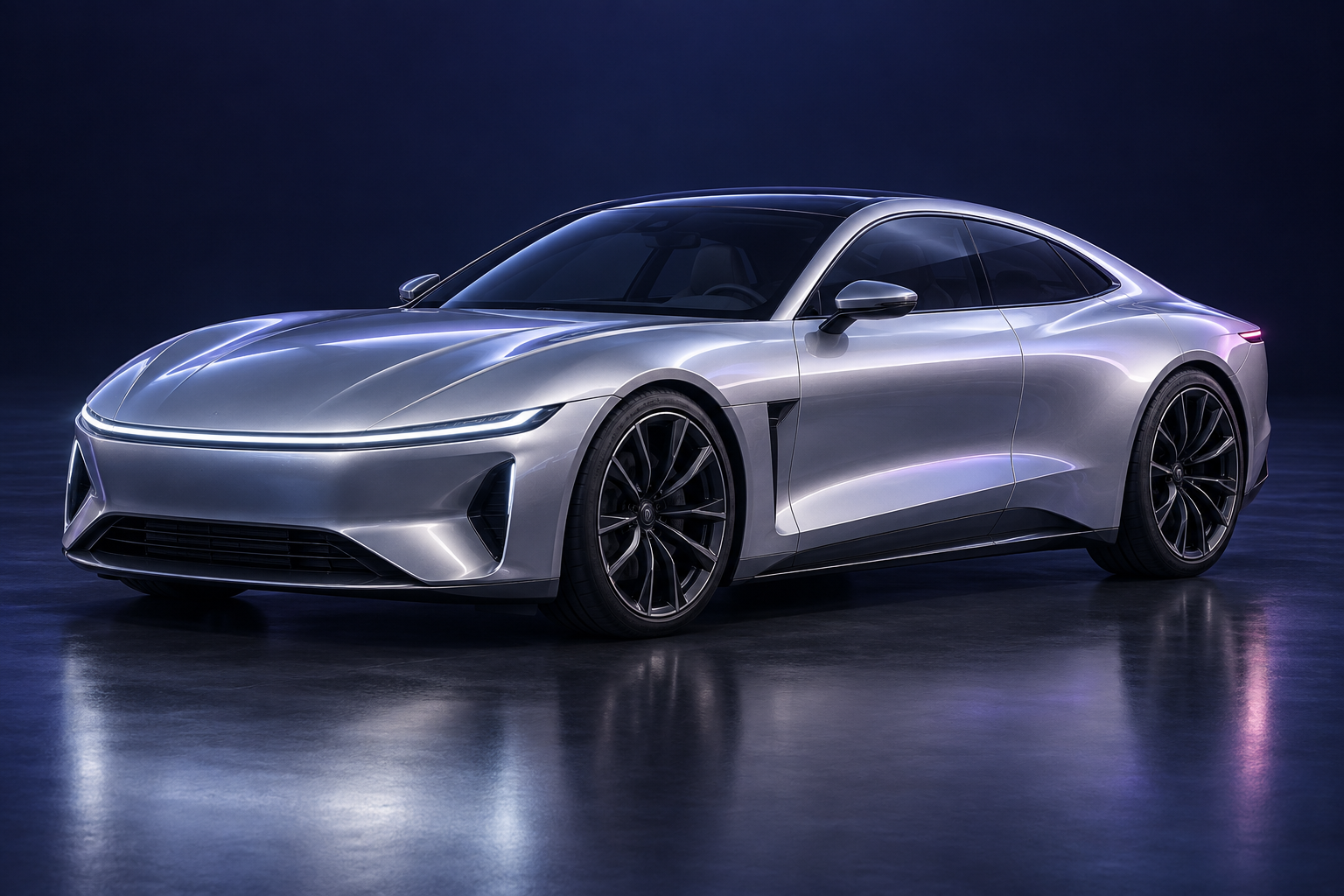
Anchor exploration in product category, silhouette and key part locations. Retain the low stance and long proportions while exploring surface treatment and detail.
Describe colour, material and finish separately. Explore how they affect highlights, surfaces and character, giving CMF reviews a common visual language.
Condition an edit on the source, the current instruction and the target region. Separate what changes from what stays, then assess both the edit and identity preservation.
Images illustrate control dimensions; they are not a comparison of separate generation or editing results.
“Keep the proportions and cabin. Simplify the front lighting.”
Domain learning & design alignment
The difference begins with how the learning task is defined.
LoRA is an efficient parameter adaptation method. Domain capability also depends on data relationships, generation and editing tasks, conditioning and evaluation. HuanYu’s development is organised around that complete design process.
Learn relationships between language and visual structure, establishing object, spatial, form and material representations.
Organise domain images, text, part and CMF semantics by task, strengthening the relationship between brief and concept.
Connect initial generation with source-conditioned revisions, focusing on context and identity across turns.
Compare candidates for the same brief. Separate aesthetic preference from constraint compliance and use difficult cases to guide refinement.
Connect data versions, task definitions and evaluation results. Give the next iteration evidence beyond visual preference.
Quality for design work
Assess image quality, condition adherence and design usefulness separately. The goal is a concept that supports informed review and further development.
Check category, critical parts, layout and CMF; record omissions and conflicts.
Review part completeness, connections and local contradictions, separately from engineering validation.
Evaluate changed and preserved regions together for unintended changes or drift.
Designers assess usefulness for selection, communication and subsequent modelling.
Move ideas towards manufacturing.
Generated images inform design decisions. Dimensions, tolerances, structure, materials and processes are validated during engineering.
An API inside your product
Keep your accounts, projects and workflows. Integrate specialist generation into existing software and build the experience around your product.
Brief · references · preserve / change conditions
Your system owns project context, permissions and source provenance, with a clear input version for each generation.
Task identity · state · errors · version linkage
Fit generation into an asynchronous workflow with agreed polling or callbacks, error handling and duplicate-request behaviour.
Image assets · specifications · conditions · review history
Route artifacts into your preview, selection, review and 3D development workflow so each result can be referenced, compared and revised.
Original work on model architectures, conditioning and training methods.
These papers provide technical background; they do not establish HuanYu’s implementation or performance.